



In 2020, Microsoft discovered something disturbing about their own workforce. When the pandemic forced 61,000 employees into remote work overnight, the tech giant had unprecedented access to something most companies never see:
hard data on what happens when collaboration goes invisible.
The company’s research team analyzed six months of emails, instant messages, video calls, and meeting patterns. They found something both interesting and alarming:
Cross-group collaboration had dropped by 25%.

Teams were just working differently and the organizational structure was gradually breaking. Microsoft didn’t put a dollar figure to the loss they had but, the implications were clear: productivity was at risk.
When 86% of employees blame lack of collaboration or ineffective communication for workplace failures, we’re gradually watching our structures break down.
We have the talent. We have the tools. But, the gaps forming between teams and ideas are beginning to cost us more than we can imagine.
This isn’t a technology problem and even bringing some people back to the office wouldn’t fully solve it.
The research that emerged from Microsoft’s pandemic workforce became one of the most important studies on remote collaboration ever published.
It revealed that the shift to remote work didn’t just change who people worked with, but how they worked together (with a measurable decline in the flow of ideas that gets a team winning).
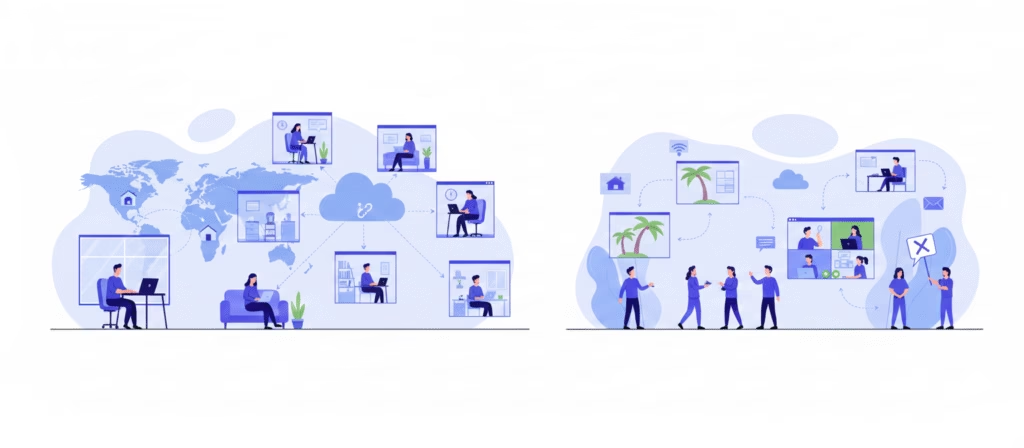
The Invisibility Gap – What this is breaking in your system
Remote collaboration doesn’t fail because people aren’t working. It fails because we don’t even get to see the work and how it is happening. When teams can’t see what’s happening, they can’t collaborate effectively.
This invisibility manifests in three critical layers:
1. Invisible Effort
53% of workers who work from home at least some of the time say working from home hurts their ability to feel connected with co-workers. Even more concerning, around 60% of managers say reduced visibility makes performance reviews more challenging compared to in-office teams.
Work happens in silos across multiple tools, scattered across Slack threads, email chains, and video recordings. Managers have limited visibility into daily workloads and team capacity. Most times, good work goes unnoticed and a lot of bottlenecks go undetected.
2. Invisible Decisions
Key conversations scatter across platforms with no central source of truth. When miscommunication in remote teams was identified as one of the biggest concerns for managers in 2024, with 25% citing it as a top issue, it revealed a bigger problem:
the real-time context and urgency of decisions get lost.
No clear system for spreading Information. Some team members have context while others are left guessing. Decisions are made anyhow, creating misalignment that piles up over time. By the time everyone gets on the same page, it’s already too late.
3. Invisible Progress
Without transparency into who’s doing what, teams duplicate work, miss dependencies, and talk past each other.
According to a Queens University of Charlotte study, 39% of employees believe people in their organization don’t collaborate enough. The same study found that 3 in 4 employees rate teamwork and collaboration as ‘very important’ (yet the gap between knowing that this is important and executing it remains wide).
Teams keep stalling on projects and missing deadlines and often, no one knows why until it’s too late.
The Core Problem: Traditional office visibility (seeing someone at their desk and overhearing conversations) all disappeared overnight when the pandemic hit. 6 out of 10 workers who transitioned to remote work say they now feel less connected to their co-workers. So, the issue is, teams never replaced that ambient awareness with something equally effective, leaving a visibility gap that continues to undermine our overall work today.

What is this really costing us?
Financial Concerns
The collaboration software market grew to $19.4 billion in 2024, expected to reach $52.4 billion by 2033. Companies are throwing money at the problem, investing heavily in tools to close up the collaboration gap. But, without visibility into how work actually happens, tools alone can’t solve the problem.
Productivity Concerns
The remote workspace has become an endless stream of interruptions. According to Microsoft’s 2025 Work Trend Index, workers are interrupted every two minutes during core work hours by meetings, emails, or chat—adding up to 275 times per day.
The average employee now processes 117 emails and 153 Teams messages each workday, creating a state that makes focus almost impossible.
Should we even talk about meetings? It compounds the problem. About 60% of meetings are ad hoc, hijacking valuable focus time without warning and creating constant context-switching. So, work that should take hours stretches across days, hiding under pseudo-work.
Tool overload makes it even worse. 54% of employees using more than 10 apps report communication issues, compared to just 34% using fewer than five apps, according to Zoom research.
Each additional tool promises to solve collaboration problems but often creates new ones: misunderstandings, poor alignment, and teams spend more time managing their tools than doing actual work.
Human Concerns
People are losing that sense of connection that comes with relating with other humans. 25% of remote workers report that their social abilities have significantly or somewhat declined since transitioning to fully remote work. Workers struggle more now with maintaining eye contact, making small talk, and participating in group discussions (skills that used to be natural). Fully remote employees also report significantly higher levels of loneliness than those who work exclusively on-site, with hybrid workers falling in between.

How Poor Remote Collaboration Actually Costs Your Business
Poor collaboration takes away your joy, money, talent, and competitive advantage. Here’s what research shows actually happens when remote teams can’t work together effectively:
Lost Productivity Equals Lost Revenue
Poor communication costs businesses approximately $12,506 per employee every year—that’s the equivalent of losing 7.47 hours per week to miscommunication, unclear instructions, and searching for information.
For a 50-person startup, you’re losing $625,300 annually while for a 200-person company? $2.5 million is disappearing from your pocket.
The math is brutal: Employees spend an average of 1.8 hours per day; that’s nearly a full workday each week (just looking for information).
Breaking it down: If your average knowledge worker earns $66,976 per year, poor collaboration wastes 18% of their total salary on unproductive work. You’re paying people to be confused.
The Turnover Tax
Poor collaboration directly accelerates employee exits. Studies show that 33% of employees cite lack of collaboration as the top reason they leave their jobs.
Here’s where it hurts: Replacing an employee costs between 50-200% of their annual salary, depending on the role. Lose three mid-level employees because they can’t collaborate effectively? You’ve just burned $150,000-$450,000 on recruiting, onboarding, and lost productivity.
Innovation Slowdown
When teams can’t collaborate seamlessly, product development slows down. It results in a longer time to bring products to market.
In startup terms: If your competitor ships their MVP in 6 months while poor collaboration stretches yours to 8 months, they’ve captured market share, user feedback, and investor attention while you’re still debugging communication problems.
Customer Experience Deterioration
When sales doesn’t know what product shipped, or support can’t access engineering updates, customers feel it.
Result: 86% of customers say they’ll leave a brand after just two bad experiences. Your internal collaboration problem becomes your customer retention problem. One thing you probably don’t know is that every frustrated customer tells an average of 15 people about their negative experience.

How Remote Teams Collaborate Effectively
The teams winning at remote collaboration in 2026 are definitely doing things differently.
Here’s what actually works when your team is scattered across time zones:
The Foundation is to Make Work Visible
Visual project management tools provide instant clarity on what’s happening and companies using project management tools complete 61% of their projects on time, compared to just 41% for those not using such tools.
What this looks like in practice:
- Centralized dashboards that show who’s working on what, removing the “what’s the status?” messages
- Kanban boards that makes workflows transparent so bottlenecks surface immediately
- Real-time status updates that replace unnecessary check-in meetings
- Clear documentation of decisions and context that doesn’t disappear into chat threads
The difference is always mind blowing: 77% of high-performing projects utilize project management software, and teams using these tools save an average of 498 hours annually per employee.
Embrace Strategic Async Communication
The most effective teams in 2026 communicate less frequently but far more effectively. They’ve moved to an “async-first” model where synchronous meetings are the exception. Teams switching to async-first see a 23% increase in productivity and reduce meeting time by up to 84% while maintaining better alignment. TechSmith ran a company-wide experiment eliminating meetings for a month and saw over 15% of employees report feeling more productive.
Async best practices:
- Default to written documentation over verbal explanations.
- Record video updates instead of scheduling demo meetings across time zones.
- Use threaded discussions for complex decisions so everyone can contribute thoughtfully.
- Set clear response time expectations (24-48 hours, not instant)—urgency is rarely as urgent as we think.
Create a Single Source of Truth
High-performing teams consolidate their work into one unified platform. Instead of hopping between 10 apps, they choose comprehensive solutions that integrate everything.
Remember: 54% of employees using more than 10 apps report communication issues, compared to just 34% using fewer than five apps.
What this looks like:
- Project management platforms that connect task assignment, communication, file storage, and reporting in one place.
- Integration between essential tools (Slack + Asana + Google Drive) creating seamless workflows instead of information islands
- Clear documentation hubs where knowledge lives permanently.
Establish Communication Protocols
Document the rules before problems emerge. The best remote teams have explicit agreements about when to use which communication channel and what response times are expected.
Critical protocols to establish:
- When to use chat vs. email vs. video call (hint: most things don’t need a meeting)
- Expected response times for different urgency levels
- How decisions are documented and communicated so they don’t get lost
- Meeting guidelines: agenda required, recording shared, action items captured and assigned
Teams with clear hybrid communication plans report better collaboration and higher engagement.
Build Intentional Culture
Remote teams miss spontaneous office interactions. The solution is replacing those moments deliberately.
What intentional culture looks like:
- Virtual coffee breaks and lunch sessions (optional, casual, no work talk)
- Team challenges and recognition programs that celebrate wins publicly
- Regular 1:1s focused on connection, not just status updates
- Celebrating wins in shared channels so good work doesn’t go invisible

The Action Plan
You’ve seen the problems. You understand the costs. Now here’s a clear “how to fix it” mmediate steps for your team:
1. Audit your current visibility: Can you instantly see what every team member is working on right now? If not, you have a visibility problem. Start there.
2. Choose one platform: Tool sprawl is killing you. Consolidate to a single project management solution. Yes, it will be uncomfortable. Do it anyway.
3. Document everything: Create your team’s communication charter. When to use chat vs. email vs. video call. Expected response times. How decisions get documented. Write it down. Make it accessible. Review it quarterly.
4. Default to async: Reserve synchronous meetings only for brainstorming, urgent decisions, or relationship building. Everything else? Document it.
5. Make progress public: Use dashboards, weekly updates, and shared wins to keep everyone informed. Celebrate work out loud so good work doesn’t stay invisible.
Do these to keep your team visible in 2026 and you’ll surely win the remote work game.
