Download the
Build in Public Plugin

 Built for fast-growing remote teams who want to know who’s doing what, how well, and how often—without micromanaging.

How to install the plugin

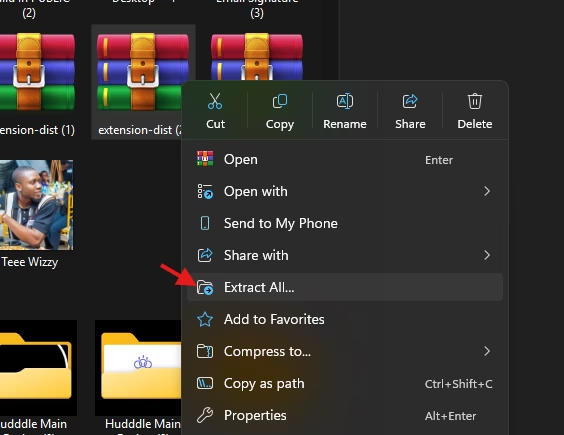
  • Extract the plugin from the the main folder. 
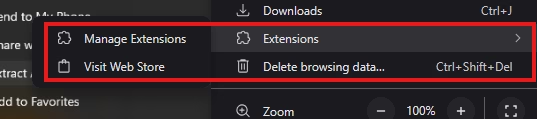
  • Step 3: Go to your browser and click on Extensions and Manage extensions
  • Step 4: Turn on Developer Mode: This might be located different in another browser, but it’s still there.
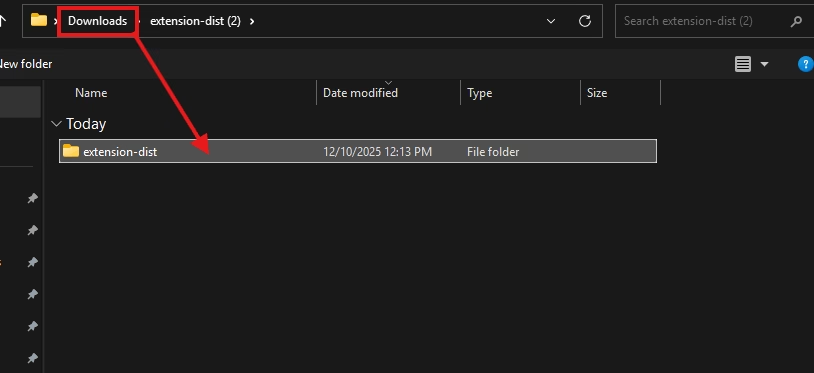
  • Step 5: Click load unpacked and select the unzipped Extension folder. 
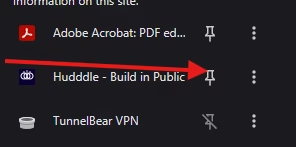
  • Step 6: Pin Hudddle and voila! You’re all set